 Whatlater
Everything you need to never lose a thing.
Saving happens where you already are — WhatsApp. AI reads, tags and organizes it; finding is as simple as asking.
Tag it once. It does the rest.
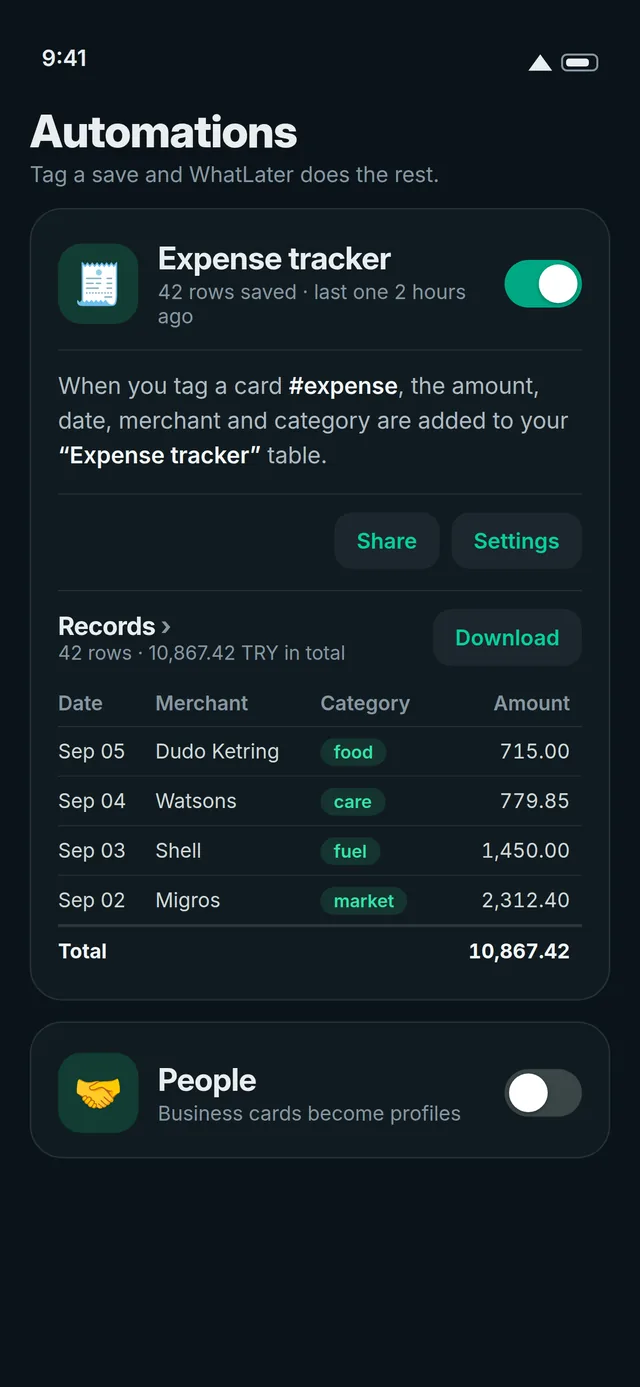
Describe a workflow in plain words — “receipts go to Expenses as a table” — and WhatLater builds the automation. Premium.
- Triggers on a tag like #expense, on every voice memo, photo or document, or on everything from one site.
- Every automation keeps a live table — number columns totaled, downloadable as Excel, CSV or PDF, with a month-end summary on WhatsApp.
- Every new row can POST to a webhook — Zapier, Make and n8n carry it to Google Sheets or your CRM.
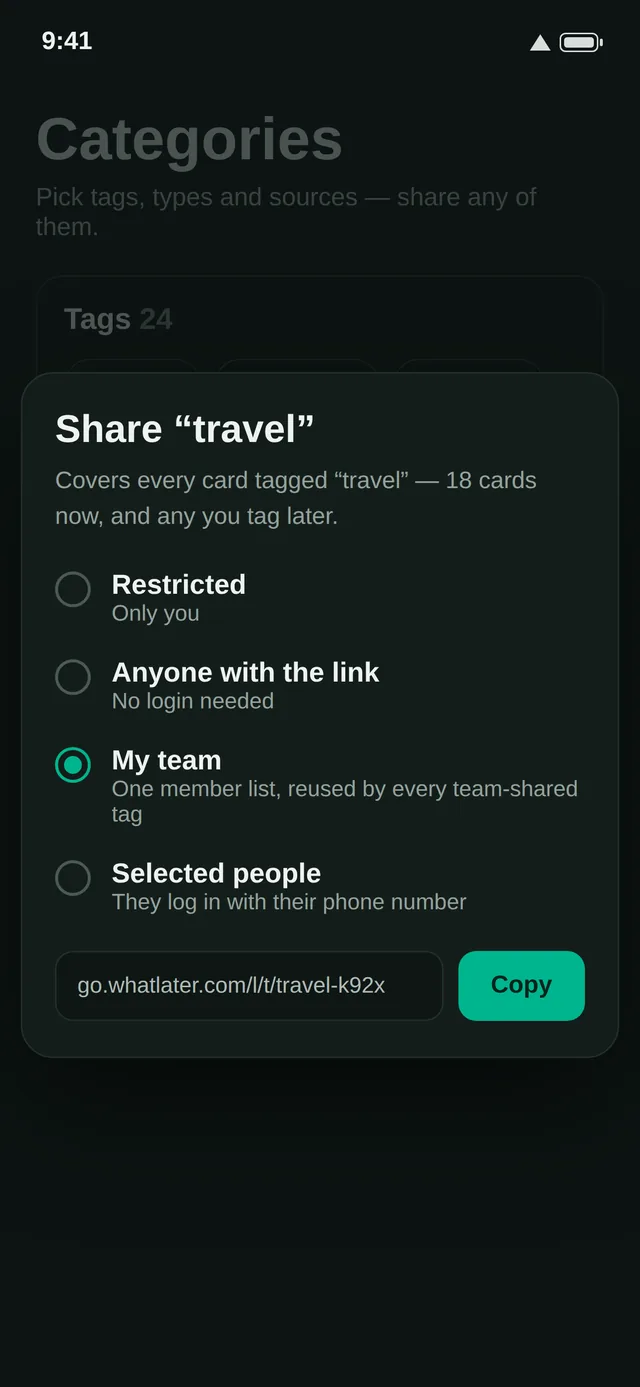
Share a tag, share a world.
A tag carries its own sharing: keep it private, open it to anyone with the link, to a team, or to selected people — every card wearing it is included.
- The shared page shows everything as a photo grid, a list or a feed — no login needed, rich preview right in the chat.
- Collect together: put a QR on the table — guests scan it and send photos, notes and voice memos on WhatsApp, straight into one shared album. Nothing to install.
- Chat and a shared calendar ride along with the tag — everyone in the circle sees the cards, the conversation and the dates.
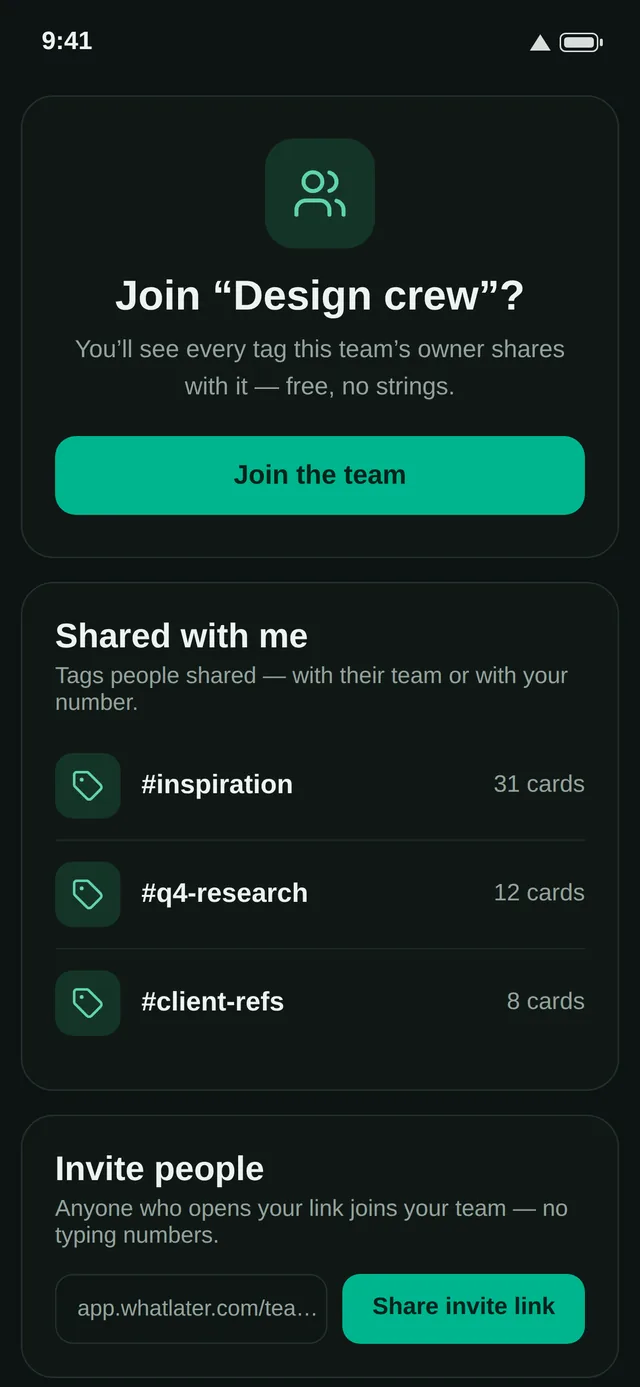
One member list, every shared tag.
Name your team once and invite with a link — anyone who taps it is in. No numbers to type, no accounts to invent.
- Any tag you share with the team appears in every member's hub — new teammates see everything from day one.
- Each team has its own page: shared tags, members, the team calendar and its invite link, in one place.
- Edit the team once — every shared tag updates at the same moment.
Send anything. It's saved.
Forward or share anything to the WhatLater contact — links, photos, voice notes, videos, documents, locations, plain thoughts. It arrives like a normal message and is saved instantly.
Every voice note comes back as text, word for word. “The note about the accountant” is findable by the word accountant.
Receipts, wine labels, whiteboards, screenshots — the text inside your photos is extracted and searchable.
Send an album and it lands as ONE card, photos side by side. Attach more files to any card, or split them out again with a tap.
One click sends the current tab to WhatLater — from the Chrome extension or over WhatsApp Web. Or paste, drop and write directly in the hub.
Pocket, Instapaper, Raindrop, Omnivore, Google Keep, Apple Notes, Notion, Obsidian, browser bookmarks — drop the export file in and everything imports, de-duplicated and tagged.
Saved is only half the job.
Titles, links, tags, notes, transcripts, even the text inside photos — one search box, three seconds, found.
Can't remember the word you'd search for? Ask in plain language — “that recipe with lime”, “the receipt from June” — and WhatLater answers from what's inside your saves.
Every save is tagged automatically; add your own anytime. Filter by type, source, date or tag — or select many cards and archive them in one go.
Write notes with headings, lists and bold — attach files, edit anytime. Notes are cards too, and they're searchable.
Share any card with anyone — it opens as a clean page with the photos, players and text, no login needed.
Reply “remind me Saturday morning” to any card — or tell the bot “call the accountant Thursday 4pm”. The nudge arrives on WhatsApp, where you'll actually see it. (Premium)
Yours, forever.
We parse and store the article itself — so it survives paywalls, deletions, and dead links. Never lose a piece again.
A distraction-free, offline-readable version of saved articles — just the words and the key images.
Once a day, your recent saves plus one well-chosen read from your backlog, delivered on WhatsApp at the time you pick.
Share your invite link from Settings. When a friend goes Premium, you BOTH get a month free — and every third friend earns you a bonus month.
Your whole library exports to CSV or JSON in one click, from day one. Arriving is easy because leaving is.
The same library, on every screen.
Your whole library in your pocket: offline reading, save from any app's share sheet, push reminders. Live on Google Play and the App Store.
Save the tab you're reading with one click from the toolbar — same library, same tags, no copy-paste.